Este artículo está disponible solo en inglés.
Short answer: secure the domain, list every page, form and phone number, and redirect each old address to its new one. Get compliance sign-off on the new site, and do not cancel the old platform until the new one is live and checked.
Most of what agencies lose in a move is lost before it starts: a domain in the vendor's name, a content library the vendor only licensed, or a quote form that quietly stops sending leads. Work in order: ownership, inventory, the new site, redirects, then the switch.
Step 1: Make sure you can take the domain
Whose name is my domain registered in?
Look it up at your registrar, or ask the vendor in writing. The registrant is the domain's legal holder, and ICANN's registrant rights page says the registrant is entitled to the registrar's instructions for managing and transferring the name. If the registrant is you, you are in control. If it is the vendor, get it changed to you before you give notice, not after.
Do I have to transfer the domain to a new registrar?
Usually not. To move a website you only need to change where the domain points (its DNS records), which you can do at the registrar you already have. A registrar transfer is a separate job, worth doing later and calmly. If you do transfer, ICANN's Transfer Policy says:
- Where you cannot generate it yourself, the registrar must give the registered holder the transfer "AuthInfo" code within five calendar days of asking.
- A registrar may not withhold the code solely because of a payment dispute.
- After a change of registrant, the registrar must lock the domain against transfers for 60 days, unless you opted out beforehand. Another reason to fix the registrant early.
Will my email stop working when I move the website?
It can. Email on your domain depends on its MX records. If the old vendor managed your DNS, copy every record (MX, and the TXT records used for email authentication) before you change anything, and recreate them wherever the DNS ends up. If the vendor hosted the mailboxes too, move the email as its own project, on its own day.
Step 2: List everything on the old site
Before you touch anything, write down what exists. A spreadsheet is enough:
- Every page address, old and new. Google's site move guide starts here: list your old URLs and map each one to its new destination.
- Every form: quote requests, contact, claims, certificate requests. Note where each one sends its data today (an email inbox, an agency management system, a CRM).
- Every phone number on the site, and whether it is your number or a call-tracking number the vendor rents. A tracking number may stop working when you cancel.
- Every disclaimer and license line, word for word, with the pages it appears on.
- Every account connected to the site: analytics, Search Console, ad accounts, review widgets. Who is the owner of each?
Step 3: Find out which content is yours
Can I take my articles and product pages with me?
Only the ones you own or have a license to keep. Many insurance platforms supply a library of product pages and blog posts that they license to every client, and that license usually ends with the contract. Text a vendor wrote for you is yours only in narrow cases: under U.S. copyright law it is a "work made for hire" only with a written agreement signed by both sides that says so, as the Copyright Office explains in Circular 30. Check your contract, then:
- Export everything you are entitled to keep, including images, while you still have access.
- Mark library content as "replace". Copying it to the new site can be a copyright problem, and the same text sits on many other agencies' sites anyway.
- Write short replacements for the pages that matter. Plain pages about the lines you write, where you are licensed and how to reach you do more than a hundred borrowed articles.
Step 4: Build the new site and get it approved
Does the new site need compliance approval again?
Treat it as a new website. If your broker-dealer approved the old site under FINRA Rule 2210, send the new one before it goes live, even if the words are the same. If you sell Medicare Advantage for more than one organization, check the required disclaimer made it across with current numbers. Captive agents should check their carrier's marketing guidelines. We cover the rules by line of business in Does my insurance agency website need compliance approval?.
Before launch, test every form on the new site yourself: submit a fake quote request and confirm it arrives where it should, with every field.
Step 5: Redirect, switch, and tell Google
How do I keep my Google rankings when I move?
Redirect every old address to its new equivalent with a permanent (301) redirect. Google's guidance is to redirect each old page to its own matching page, not everything to the home page, and to avoid chains of redirects. Its redirects page covers the types. If the domain stays the same and only the platform changes, you only need redirects where page addresses change.
How long should I keep the redirects?
Google's site move guide says to keep them as long as possible, generally at least a year. Do not let them disappear when the old platform's contract ends: they need to live wherever your domain points now.
What if I am changing to a new domain name?
Use the Change of Address tool in Google Search Console after the redirects are live. You must be a verified owner of both the old and the new domain in Search Console, using the same Google account. Google says the tool's effect lasts 180 days, and you should keep redirects at least that long, longer if the old addresses still get search traffic. Then submit the new site's sitemap.
Do I need to update my Google Business Profile?
Yes, if the website address changed. Edit the website field in your profile; Google reviews edits before they show. Then update the link everywhere else people find you: carrier "find an agent" listings, social profiles, email signatures and directory listings.
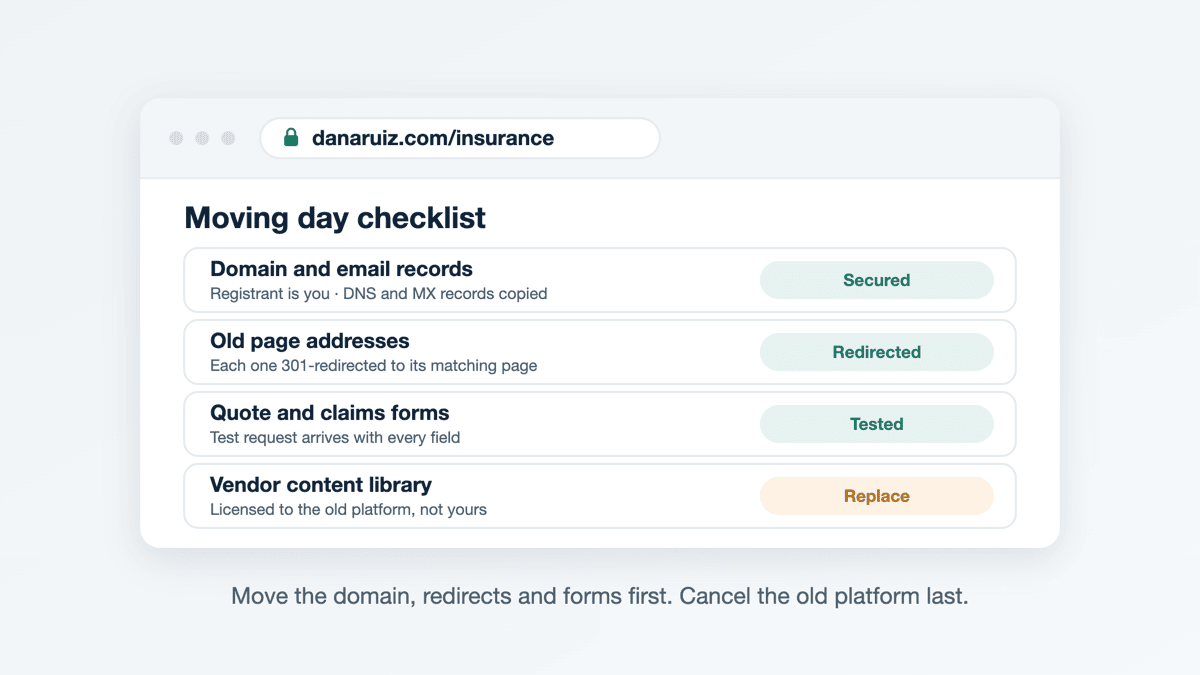
The switchover checklist
- Domain registrant is you, with registrar login in hand.
- DNS records copied, especially email.
- Every old URL mapped to a new one, and 301 redirects tested.
- Every form tested end to end on the new site.
- Phone numbers on the site are numbers you control.
- License numbers and disclaimers present on every page they belong on.
- New site approved where approval applies, with a dated PDF of what was approved.
- Analytics and Search Console owned by you, sitemap submitted.
- Google Business Profile and other listings updated.
- Old platform canceled last, with a copy of everything exported first.
Swift Agent Sites builds sites for insurance agents too: $89 a month or $890 a year with no setup fee, on your own domain, with hosting and https included, usually live the same day, in English, Spanish or both, with a contact form that sends leads straight to you.
Related: