Este artículo está disponible solo en inglés.
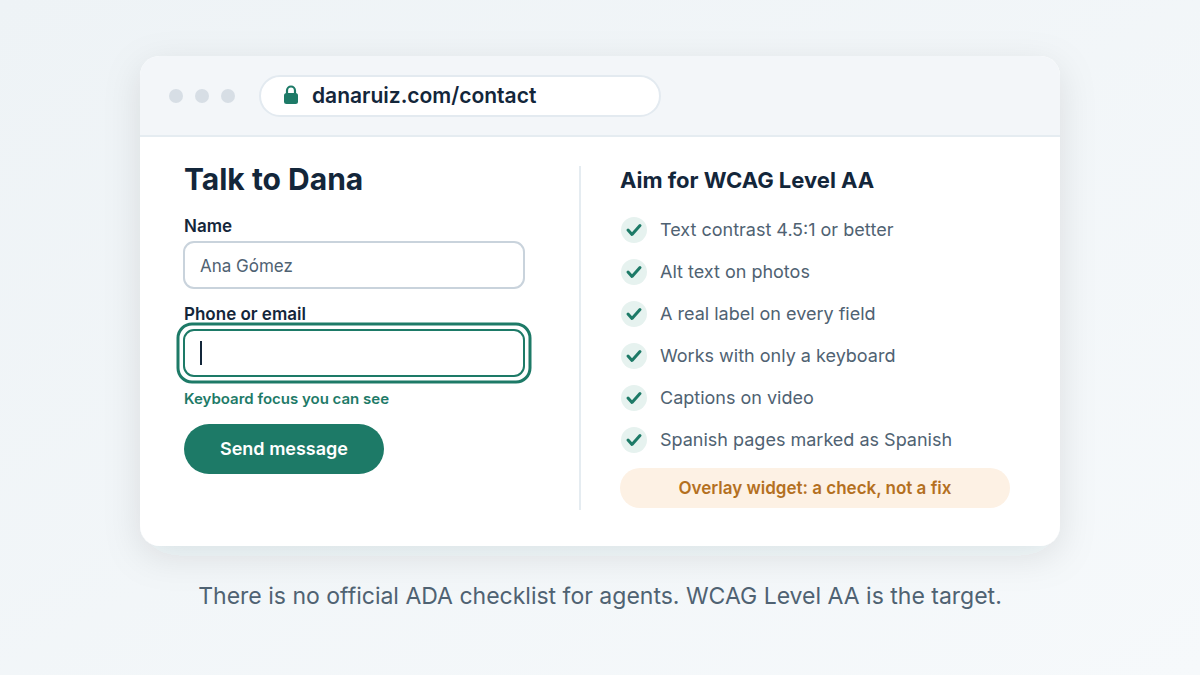
Short answer: Plan as if it does. The Justice Department says the ADA applies to the websites of businesses open to the public, but it has set no technical checklist for private businesses, so there is no official "ADA compliant" badge to earn. The practical target is WCAG Level AA: readable contrast, alt text, labeled forms, keyboard access and captions.
This is a plain-English summary as we read the sources on 9 October 2026, not legal advice. If you have received a demand letter, talk to a lawyer before you change or say anything.
Does the ADA apply to a real estate agent's website?
Title III of the ADA covers "public accommodations": private businesses open to the public. The list in the statute (42 U.S.C. 12181(7)) names offices of accountants and lawyers, insurance offices and banks. It does not name real estate offices, but it ends with a catch-all, "or other service establishment". A brokerage that meets buyers and sellers is hard to argue out of that, so the safe working assumption is that you are covered.
The Justice Department's guidance on web accessibility (March 2022, still the current page on ADA.gov) says the Department "has consistently taken the position" that the ADA's requirements apply to everything a public accommodation offers, including what it offers on the web. Your site is where people find you, read about you and contact you, so it is part of what you offer.
Is there an official ADA standard for business websites?
No. The same guidance says the Department "does not have a regulation setting out detailed standards" and that businesses have flexibility in how they comply, while still having to make what they offer online accessible. It points to the Web Content Accessibility Guidelines (WCAG) and the federal Section 508 standards as helpful technical references.
Doesn't the new 2024 web rule settle it?
Not for agents. The 2024 rule sets WCAG 2.1 Level AA as the standard for state and local governments under Title II, not for private businesses. Its deadlines were extended in April 2026, to April 2027 for larger governments and April 2028 for smaller ones. It is still the clearest signal of what "accessible" means to the Department, which is why WCAG Level AA is the sensible target for a business site too.
What should an agent's website actually do?
These are the practices the Justice Department's guidance lists, applied to a typical agent site:
- Readable contrast. Light gray text on a beige background is the classic failure. WCAG 2.2 Level AA asks for a contrast ratio of at least 4.5:1 for normal-size text.
- Alt text on images. Your headshot, area photos and any image with words in it need a short description a screen reader can read out. A listing flyer posted as a picture of text is invisible to a blind visitor.
- Labeled forms. Every field on your contact form needs a real label, not just gray placeholder text that disappears when someone types. Errors should say what is wrong in words, not only by turning a box red.
- Keyboard access. Someone who cannot use a mouse must be able to tab through your menu, open your form and press send.
- Captions on video. Market updates and property tours need accurate captions, not just auto-generated ones you never checked.
- Zoom that works. The page should still work when a visitor enlarges the text in their browser.
- Real headings. Sections marked up as headings let screen reader users jump around the page.
- A way to report problems. The guidance suggests giving the public a way to tell you about accessibility barriers. An email address in the footer is enough to start.
Does a bilingual English and Spanish site need anything extra?
Yes, one small thing that is often missed. WCAG asks that the language of each page can be detected by software (success criterion 3.1.1, Level A), and that passages in a different language are marked too (3.1.2, Level AA). In practice your Spanish pages should declare Spanish, and a Spanish paragraph on an English page should be marked as Spanish. Otherwise a screen reader reads your Spanish with English pronunciation, which is hard to follow.
Will an accessibility overlay or widget make my site compliant?
Do not count on it. The Justice Department's guidance says automated checkers and overlays "can be helpful tools" but need to be used carefully, and that a clean report "does not necessarily mean everything is accessible." A widget cannot write good alt text for your photos or caption your videos. Treat it as a check, not a fix, and pair any automated scan with a manual test: try your site with only a keyboard, and with your phone's screen reader turned on.
What about IDX, chat widgets and other add-ons?
If it appears on your site, visitors experience it as your site. A property search, a chat bubble or an embedded booking calendar from another company can carry barriers you did not build. Ask the vendor what accessibility standard it meets before you add it, and keep their answer in writing. This is one more reason a simple site with a few things done well is easier to keep accessible than a site stacked with plug-ins.
Do I need an accessibility statement on my site?
No source we read requires one for a private business. A short page saying you aim to meet WCAG Level AA and giving an email or phone number for anyone who has trouble using the site is still worth having: it is the "way to report problems" the guidance recommends, and it gives a frustrated visitor somewhere to go other than a lawyer.
Where to start this week
- Run a free automated check on your homepage and contact page, and fix the contrast and missing-label errors first.
- Unplug your mouse and try to send yourself a message through your own contact form.
- Add alt text to every image that carries meaning, and caption your most-watched video.
- Check that your Spanish pages are marked as Spanish.
- Add an accessibility contact line to your footer.
Swift Agent Sites builds simple agent sites on your own domain, in English and/or Spanish, with hosting and https included, usually live the same day, for $89 a month or $890 a year with no setup fee.
Related: